

The OneKey Classic 1S is a slim hardware wallet with an EAL 6+ secure element, a 1.54-inch OLED screen, a 530mAh battery, and USB-C and Bluetooth connectivity. OneKey's store lists it at $99 USD and says it supports 30,000+ coins across 100+ chains, with free international shipping. It is open-source, cheap for what it does, and easy to carry. The trade-off is a basic screen and a heavy reliance on the app. I think it is a strong first hardware wallet for Canadians who want simple and affordable.
- Best for: first-time hardware wallet buyers who want low price and wide coin support
- Skip it if: you want a big touchscreen or a fully air-gapped device (look at the Pure edition or Keystone)
- Price: $99 USD on OneKey's product page
- PriceUSD 99 (Classic 1S, built-in battery); USD 79 (Classic 1S Pure, battery-free)
- Secure ElementEAL6+ secure element (stated for the range)
- ConnectionClassic 1S: USB-C and Bluetooth (page lists full connectivity with USB-C and Bluetooth for both 1S and 1S Pure)
- Open Sourceyes: firmware and apps fully open source, reproducible builds on GitHub, independent audits by SlowMist
 Watch my video review
| Detail | Info |
|---|---|
| Price | $99 USD on the official product page |
| Secure Element | EAL 6+ certified chips |
| Display | 1.54-inch monochrome OLED |
| Battery | 530mAh built-in battery |
| Connectivity | USB-C and Bluetooth |
| Supported Assets | 30,000+ coins across 100+ chains (OneKey) |
| Security Features | Clear signing preview, SignGuard real-time threat detection, offline setup capability |
| Related Models | Classic 1S Pure (battery-free), Classic 1S Pure Bitcoin-only edition, OneKey Pro |
| Shipping | Free international shipping per the product page |
| My Rating | Not ranked on my exchange list; hands-on review below |
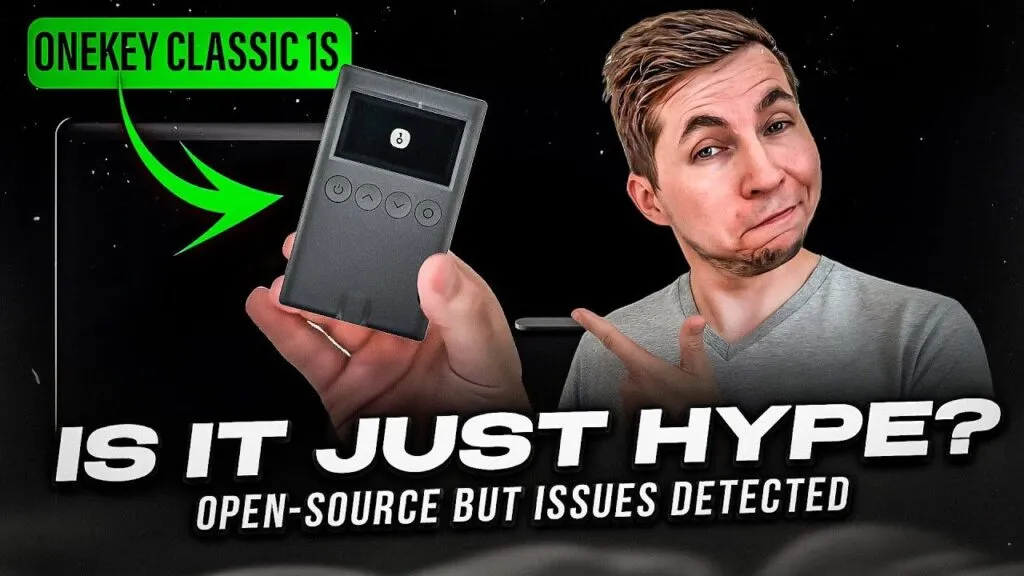
As a Canadian crypto trader since 2016, I’ve tested over 30 different cold wallets, and I’m thrilled to share my insights on the OneKey Classic 1S, a standout option for securely storing your cryptocurrencies. My name is Oleg G., and with nearly a decade of experience in this space, I’ve learned one key lesson: the safest way to protect your crypto is to move it off exchanges and into a private wallet. Self-custody gives you full control over your assets, adding a critical layer of security that exchanges simply can’t guarantee.
The OneKey Classic 1S is one of the most impressive cold crypto wallets I’ve ever used.
Unlike many traditional hardware wallets, it combines open-source security with a compact design, USB-C and Bluetooth connectivity, making it both portable and approachable. It doesn’t rely on gimmicks, just solid encryption and offline signing. But as with any wallet pushing the boundaries of design and affordability, there are pros and cons to consider, which I’ll explore throughout this review. Drawing on my extensive experience with cold storage, I’ll break down what makes the Classic 1S special, how it suits the needs of Canadians, and whether it’s the right choice for keeping your crypto secure.
What Coins Does OneKey Classic 1S Support?
OneKey says the Classic 1S supports 30,000+ coins across 100+ chains, including Bitcoin, Ethereum, USDT, Solana and XRP. Unlike wallets that restrict asset management because of limited onboard storage, I did not run into a cap on the number of coins I could manage, and new coins arrive through firmware and app updates. Check that your specific coin and network are supported in the app before you move funds.
Most app-based or software wallets store your private keys on your phone, which is often online and at risk of hacking. If your device gets compromised, your keys, and funds, could be stolen. That’s where hardware wallets like the OneKey Classic 1S shine, offering an offline solution.
How Does OneKey Classic 1S Work?
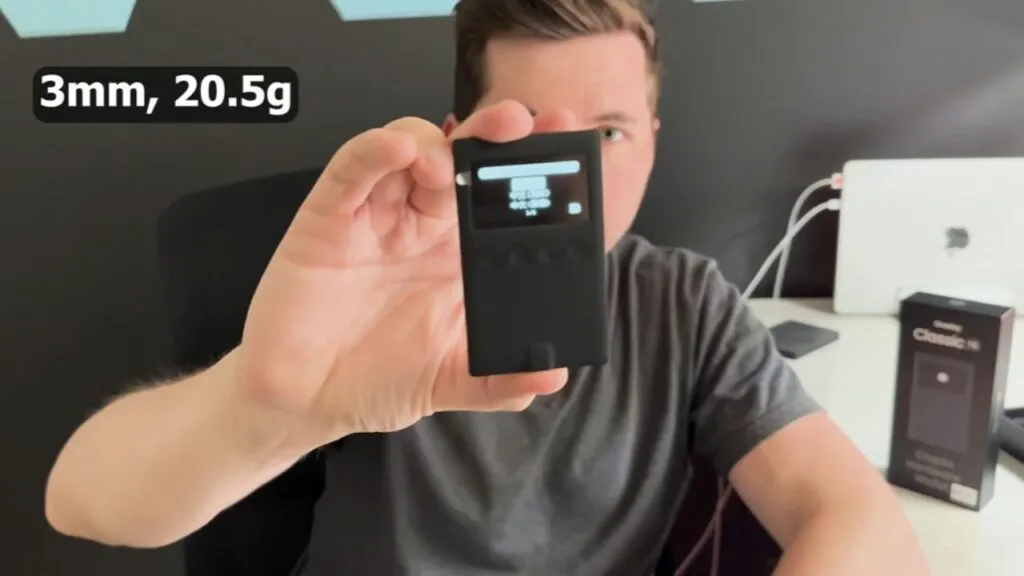
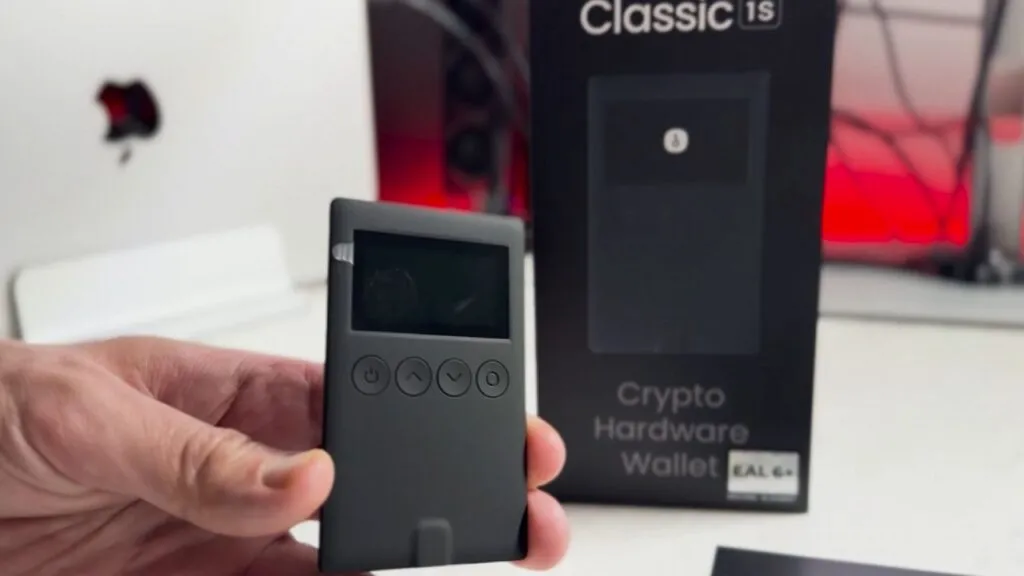
The OneKey Classic 1S is a slim, credit-card-sized wallet with a 1.54-inch monochrome OLED screen, a 530mAh battery, and USB-C and Bluetooth connectivity, per OneKey's product page. You pair it with the OneKey App on your phone or computer. Its EAL 6+ certified chips generate and store your private keys offline, and you verify each transaction on the device and confirm it before it signs. Your keys never leave the device, and the app only broadcasts the signed transaction.
One thing to know: OneKey also sells a battery-free version, the Classic 1S Pure, and a Bitcoin-only edition of it. My original hands-on notes were written around a simple cable-first workflow, so if you want a device with no battery and no wireless at all, look at the Pure.
A common misconception about crypto wallets applies here too: your cryptocurrency isn’t stored on the Classic 1S itself. Your assets reside on the blockchain, and the device simply holds the private keys needed to access and manage them. The wallet doesn’t “move” your crypto, it authorizes transactions by signing them offline, keeping your funds secure on the chain.
The Classic 1S uses a traditional recovery approach. It generates a standard 12, 18, or 24-word seed phrase during setup. If you lose the device, you can restore your wallet by entering this seed phrase into a new OneKey device (or any compatible wallet). You can also back up the seed offline using tools like the OneKey KeyTag. Losing the physical device doesn’t mean losing your crypto, your funds stay safe on the blockchain, recoverable as long as you’ve secured your seed phrase. I prefer sticking with the seed phrase method for its universality.
How Do You Use The OneKey Classic 1S In Canada?
When you first get your OneKey Classic 1S, it arrives as a single compact device with a small OLED screen. Start by downloading the OneKey App from your phone’s app store, readily available in Canada on iOS and Android, with no import delays to worry about.
Downloading the OneKey App
Launch the app, and you’ll see two options: create a new wallet or restore an existing one. If you’ve lost your Classic 1S but secured your seed phrase, choose “restore” and follow the prompts to regain access.
For a new wallet, plug the Classic 1S into your phone or computer via USB. The app connects to the device, and its secure chip generates your private keys offline.
Setting Up The Classic 1S As A Wallet
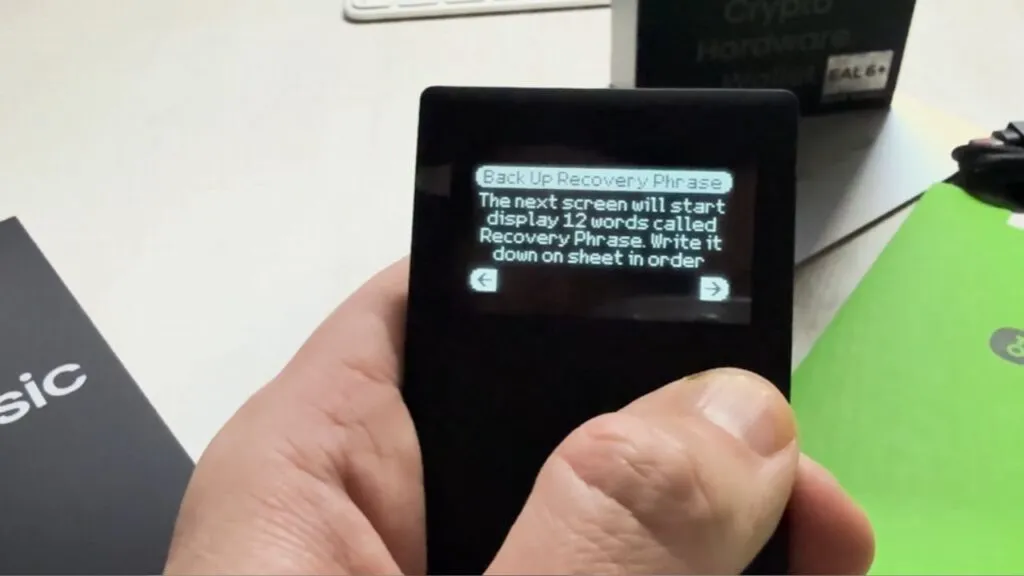
During setup, you’ll generate a standard 12, 18, or 24-word seed phrase. Write it down on paper and stash it somewhere safe, like a fireproof box for those Canadian winters, never store it digitally, as that undermines the offline security. Unlike some wallets, there’s no seedless option here, but you can back up the phrase with tools like the OneKey KeyTag, a practical choice for Canadians who prioritize preparedness.
To send or receive crypto from Canadian exchanges like NDAX or others, open the OneKey App and add your preferred networks or tokens.
For receiving, connect the device, select your wallet, and the app generates your address to copy and share.
For sending, enter the recipient’s address and amount in the app, then plug in the Classic 1S. Verify the details on the OLED screen, press the button to confirm after entering your PIN via the app, and the device signs it offline before the app broadcasts it.
I used the USB cable for setup and signing. The device also has Bluetooth, but a cable is the most isolated way to use it.
Using the Classic 1S with a cable might feel a bit old-school, but it’s straightforward and fits Canadians who want a no-nonsense wallet that’s as dependable as our maple syrup supply. The offline signing via the secure chip keeps your keys isolated, adding peace of mind in a country where cybersecurity matters.
What's In The OneKey Classic 1S Box?
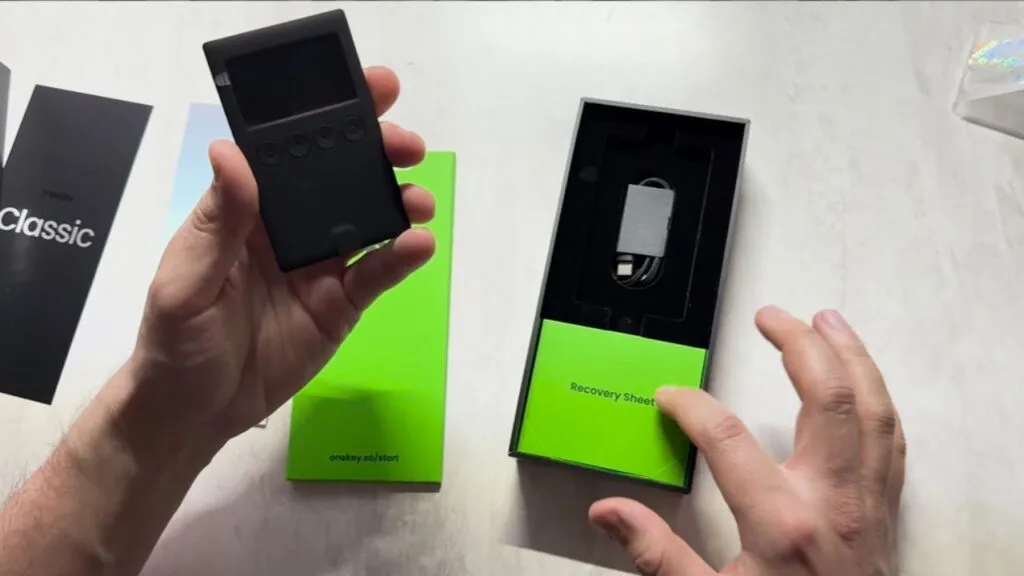
Inside the OneKey Classic 1S Box
The OneKey Classic 1S box keeps things simple, delivering just what you need without the clutter. Inside, you’ll find the credit card-sized device with a clear OLED screen and USB-C port, a quick-start guide for smooth setup, and three recovery sheets to safely store your seed phrase, no extra fuss, just the essentials for secure crypto management.
Is The OneKey Classic 1S Safe?
I consider the OneKey Classic 1S a safe choice for storing crypto. It stays offline, using USB-C or encrypted Bluetooth only when needed, keeping risks low. Private keys are generated and locked in an EAL6+-certified chip system, bank-card-grade security, never leaving the device, even for transactions.
Security hinges on your setup: you’ll create a 12, 18, or 24-word seed phrase, write it down, store it offline, and never digitize it to keep the offline edge. If you lose the device, the seed phrase restores access on a new OneKey or compatible wallet, as long as it’s secure.
Mostly importantly, open-source firmware, auditable by anyone, adds trust, and OneKey’s regular updates squash bugs fast. USB and Bluetooth aren’t as isolated as QR-based systems, so use a trusted device. Overall, it’s a reliable pick if you nail the basics.
OneKey 2023 Vulnerability
I need to flag a real security issue that briefly shook my faith in OneKey. In February 2023, cybersecurity firm Unciphered found a physical exploit on the OneKey Mini, not the Classic 1S, but it raised eyebrows for the brand.
They extracted the seed phrase in seconds by opening the device and intercepting unencrypted data between the CPU and secure chip, though it needed physical access and specialized tools. No user funds were lost, and the Classic 1S, with its updated setup, wasn’t directly hit.
The flaw was a design slip-up in chip communication that OneKey missed initially, but the risk was low unless someone snags your wallet. OneKey patched it fast with a firmware update, locking down the secure chip’s data. I respect how they owned it, confirmed the issue, fixed it in days, and teamed up with Unciphered to make sure it was done right.
For me, that openness outweighs the hiccup. The Classic 1S benefits from those fixes, no reports show it has the same flaw. The 2023 scare gave me pause, but OneKey’s quick response and transparency won me back, I trust a team that grows stronger from mistakes.
How Much Does The OneKey Classic 1S Cost?
OneKey lists the Classic 1S at $99 USD, and your CAD price depends on the exchange rate at checkout, so check onekey.so for the exact figure. I love that it keeps things simple with a small screen and no frills, which keeps the price down. It is one of the more affordable hardware wallets out there, and it ships internationally for free according to the product page.
How Does OneKey Classic 1S Compare With Ledger And Trezor?
I compared it with the Ledger Nano X and the Trezor Model T when I first wrote this review. The Model T has since been discontinued, as Trezor says on its own site, so the comparison now looks like this.
| Feature | OneKey Classic 1S | Ledger | Trezor |
|---|---|---|---|
| Price | $99 USD | Check Ledger's store | Check Trezor's store |
| Open Source | Yes | Mostly closed | Yes |
| Connectivity | USB-C and Bluetooth | Varies by model | Varies by model |
| App | Mobile and desktop | Ledger Live, desktop and mobile | Trezor Suite |
| Built-In Exchange | No | Yes, via partners | Yes, via partners |
Ledger and Trezor integrate crypto exchanges into their apps, letting you buy directly to the wallet without KYC with the wallet maker, which is convenient, but the fees sting, so I would rather use a Canadian exchange like NDAX. OneKey skips that, keeping it focused and lean. Usability-wise, a color touchscreen outshines the Classic 1S's basic OLED, so you will lean on the app for most tasks, but its compact size makes it very portable. For the security you get, the price is hard to beat.
What Are The Downsides Of The OneKey Classic 1S?
I’ve noticed a few quirks with the OneKey Classic 1S that might not click for everyone. Sending crypto takes a couple of steps, plugging it in, opening the app, entering my PIN, and confirming on the tiny OLED screen, which isn’t as snappy as wallets with bigger displays or wireless options. I don’t mind the extra beat for the offline security, but it could annoy someone who prioritizes speed above all.
It’s not phone-only like some wallets, since it works with desktop too, but the USB tether feels a bit clunky compared to Bluetooth setups I’ve tried. There’s no built-in exchange either, unlike Ledger or Trezor, I’m fine hitting up NDAX separately, but it’s less smooth if I want an all-in-one deal.
The small screen is a mixed bag for me. It’s nice to verify transactions on-device, but it’s basic, less hands-on than I’d get with a touchscreen wallet. The Classic 1S’s simplicity is its charm, but it assumes my phone or computer is always ready to roll, which isn’t always a given.
How Is OneKey Customer Support?
I’ve seen mixed buzz about OneKey’s support, some folks on X gripe about slow shipping (especially internationally) or delayed replies, but a lot of that seems tied to user slip-ups, not the wallet itself.
I haven’t had to lean on them much. The app’s help section is solid, and their site breaks down setup and fixes clearly. I pinged support once with a quick question about firmware, and they responded promptly, no fuss. For me, the Classic 1S has been smooth, and their support feels reliable if you’re not expecting a 24/7 hotline.
What Are The Pros And Cons Of The OneKey Classic 1S?
Pros
- EAL 6+ certified chips
- Open-source code
- Slim, portable design
- $99 USD, affordable for a hardware wallet
- 30,000+ supported coins across 100+ chains
- Mobile and desktop app
- Battery-free Pure edition available if you want no battery
Cons
- Basic OLED screen
- You rely on the app for most tasks
- Bluetooth and USB are less isolated than QR-based wallets
- No built-in exchange
- Support can be slow internationally
Is The OneKey Classic 1S Worth It For Canadians?
The OneKey Classic 1S is a strong pick if you are new to hardware wallets or want something no-frills. I like that it is a slim device I can pocket, that it lets me sign transactions offline, and that its price stays low. If you want a fancier screen, Ledger or a current Trezor might edge it out, since they have more polish and years in the game. OneKey is newer, but I trust it, especially after how it handled the 2023 flaw on the Mini. For my money, it is a safe, affordable choice.
For more options, see the best crypto wallets for Canadians. If you are still deciding where to buy the coins you will store, my ranked best crypto exchanges for Canadians list and the exchange quiz will get you there.
What Changed For OneKey In October 2026?
- OneKey's site lists the Classic 1S at $99 USD with a 530mAh battery, USB-C and Bluetooth, alongside the battery-free Classic 1S Pure, a Bitcoin-only Pure edition and the OneKey Pro.
- Trezor says the Model T I compared against is no longer sold, so I now compare the Classic 1S with current wallets only in general terms.
Has OneKey Had Security Problems?
Here is every documented security issue I could confirm for OneKey, newest first, with what it meant for owners and what was done about it.
- : CVE-2023-25758 physical man-in-the-middle on Mini and Touch. Unciphered showed that after opening a OneKey Mini or Touch, an attacker could intercept the chip-to-secure-element link and obtain the seed. Needs physical access and disassembly; Mini through 2.10.0 and Touch through 4.0.0 listed as affected. The NVD entry says the vendor stated it patched this without anyone being affected. (source)
How Does OneKey Classic 1S Compare?
| Wallet | Price | Connection | Secure Element | |
|---|---|---|---|---|
| OneKey Classic 1S | USD 99 (Classic 1S, built-in battery); USD 79 (Classic 1S Pure, battery-free) | Classic 1S: USB-C and Bluetooth (page lists full connectivity with USB-C and Bluetooth for both 1S and 1S Pure) | EAL6+ secure element (stated for the range) | |
| Trezor Safe 7 | USD 249 | Bluetooth (open-source encrypted), USB-C to USB-C cable, Qi2 wireless charging | TROPIC01 (auditable) plus NDA-free EAL6+ Optiga secure element plus STM32U5 microcontroller: three chips from three vendors | |
| Tangem Wallet | 2-card set USD 54.90; 3-card set USD 69.90; Family Pack USD 129.80; Ring and 2 cards USD 160; Pro Kit USD 180 (prices shown in USD to a US visitor) | NFC only (no battery, no cable) | EAL6+ certified chip, Samsung-developed per Tangem; IP69K | |
| Ledger Flex | USD 249 and CA$369 on the Canadian storefront; free shipping, usually ships within 24 hours | Bluetooth (BLE 5.2), NFC, USB-C | ST33K1M5 Secure Element, Common Criteria EAL6+ |
Frequently Asked Questions
How Much Does The OneKey Classic 1S Cost?
OneKey lists it at $99 USD with free international shipping. Check the checkout for the CAD price.
Does The OneKey Classic 1S Have Bluetooth?
Yes. OneKey lists USB-C and Bluetooth connectivity and a 530mAh battery. The battery-free Classic 1S Pure is the version without a battery.
How Many Coins Does The OneKey Classic 1S Support?
OneKey says 30,000+ coins across 100+ chains, including Bitcoin, Ethereum, USDT, Solana and XRP. Confirm your coin and network in the app first.
Is The OneKey Classic 1S Safe?
It uses EAL 6+ certified chips, offline key generation and open-source firmware. A February 2023 physical exploit hit the OneKey Mini, not the Classic 1S, and OneKey patched it.
What Is The OneKey Classic 1S Pure?
A battery-free edition of the Classic 1S, with a Bitcoin-only variant, listed on OneKey's site.
Is The OneKey Classic 1S Good For Beginners?
Yes. It is simple, affordable and works with a mobile and desktop app, though the screen is basic and you rely on the app for most tasks.