

Exodus is a self-custody software wallet with a built-in swap exchange. It supports 1,000,000+ assets, runs on Windows, macOS, Linux, iOS and Android, pairs with Trezor and Ledger hardware wallets and, per Exodus, has swap rates starting as low as 0.5%. There is no exchange account to open, no Interac deposit and no fiat way to cash out inside the wallet, so Canadians usually buy on a registered exchange first. Exodus Movement, Inc. is publicly listed (EXOD).
- Pricefree software wallet; swaps from 0.5% rate, third-party fees apply
- Secure Elementnone: software wallet; passkey protection; can pair with Ledger and Trezor hardware wallets
- Connectionnot applicable: software; Ledger and Trezor hardware supported inside the app
- Backupuser stores own recovery phrase (site disclosure: lost phrase may mean lost keys)
My #1 pick: before you buy the Exodus, look at the Trezor Safe 7 (9.6/10), the wallet I use and rank first for Canadians.
| Detail | Info |
|---|---|
| Type | Self-custodial software wallet with built-in swaps. No exchange account, and no KYC mentioned for wallet use |
| Assets | 1,000,000+ assets, with multichain support |
| Platforms | Desktop (Windows, macOS, Linux) and mobile (iOS, Android), with syncing across devices |
| Hardware Wallets | Compatible with Trezor and Ledger |
| Swap Cost | Rates start as low as 0.5% per Exodus. Swaps may include a spread and a network fee |
| Send And Receive | Exodus charges no fee. The network fee goes 100% to the blockchain |
| Buy And Sell | Through card, Apple Pay or Google Pay, via XO Ramp. No Interac |
| Staking | Available for select cryptocurrencies |
| Other Products | Exodus Pay, XO Swap, XO Ramp and the Exodus Card |
| Security | Self-custodial: you hold the keys on your device. Passkey protection is offered |
| Support | 24/7 customer support |
| Canadian Registration | Wallet software, not a CSA-registered platform |
| Source Code | The core wallet is not fully open source, per my earlier research |
Written by Oleg Galeev, a Canadian crypto investor since 2016 and founder of OCryptoCanada. I have personally tested 60+ crypto exchanges available to Canadians since 2016 and have used Exodus as part of my self-custody stack since 2021. Ready to look at it? Download Exodus free at exodus.com. Not sure it fits? Take our exchange quiz or see the best crypto wallets for Canadians.
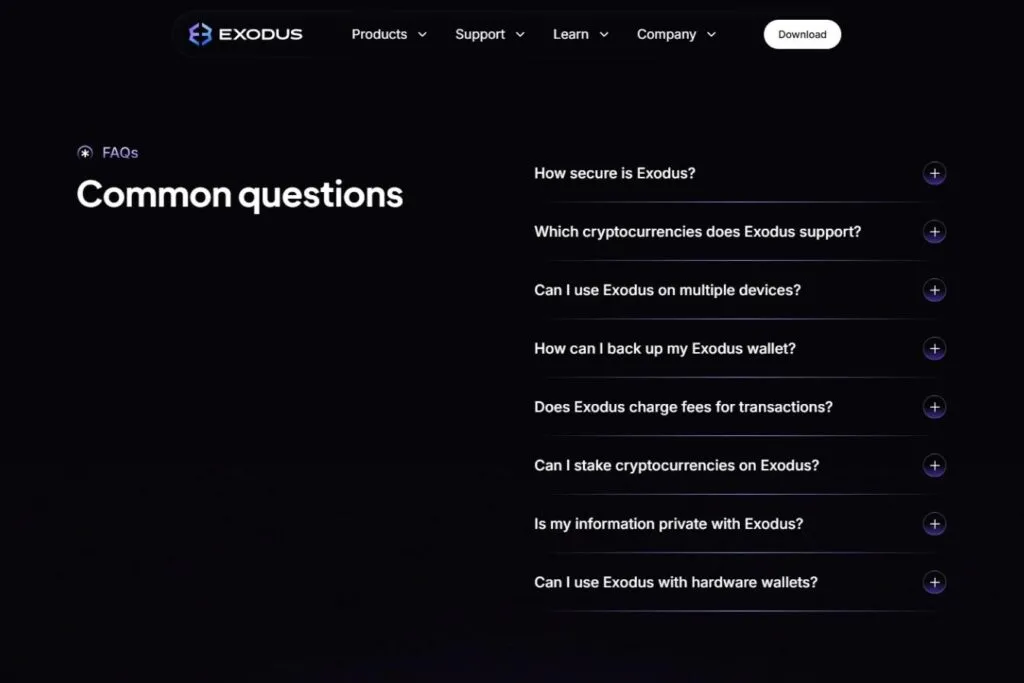
What Makes Exodus Different From The Exchanges In My Ranking?
Exodus is a self-custody software wallet with a built-in swap exchange. Unlike every platform in my best crypto exchanges ranking, there is no exchange account, no Interac deposit, no order book and no company holding your crypto. You download the app, your private keys are generated on your device and your crypto never leaves your control. Trading happens through an in-wallet swap between any two supported assets, and the spread on that swap is how Exodus earns. That model is fundamentally different from a custodial exchange and comes with a critical responsibility: if you lose your recovery phrase, no one can recover your funds. Not Exodus, not OCryptoCanada, not anyone.
Pros
- No exchange account, and no KYC mentioned for wallet use
- 1,000,000+ assets in one multichain app
- Non-custodial: keys stay on your device, so no exchange can freeze or lose your assets
- One of the cleanest, least jargon-heavy interfaces I use
- In-wallet staking for select assets
- Trezor and Ledger support for cold storage
- Desktop, mobile and cross-device sync
- Publicly listed company with regular SEC filings
Cons
- Swap spreads can be high on thin pairs, versus a dedicated exchange
- No Interac and no CAD deposit
- No way to cash out to CAD inside Exodus
- Core code not fully open source
- A hot wallet by default, so large amounts want a hardware wallet
- No futures, margin, order book or limit orders
- Lose your recovery phrase and your funds are gone
Is Exodus Safe For Canadians?
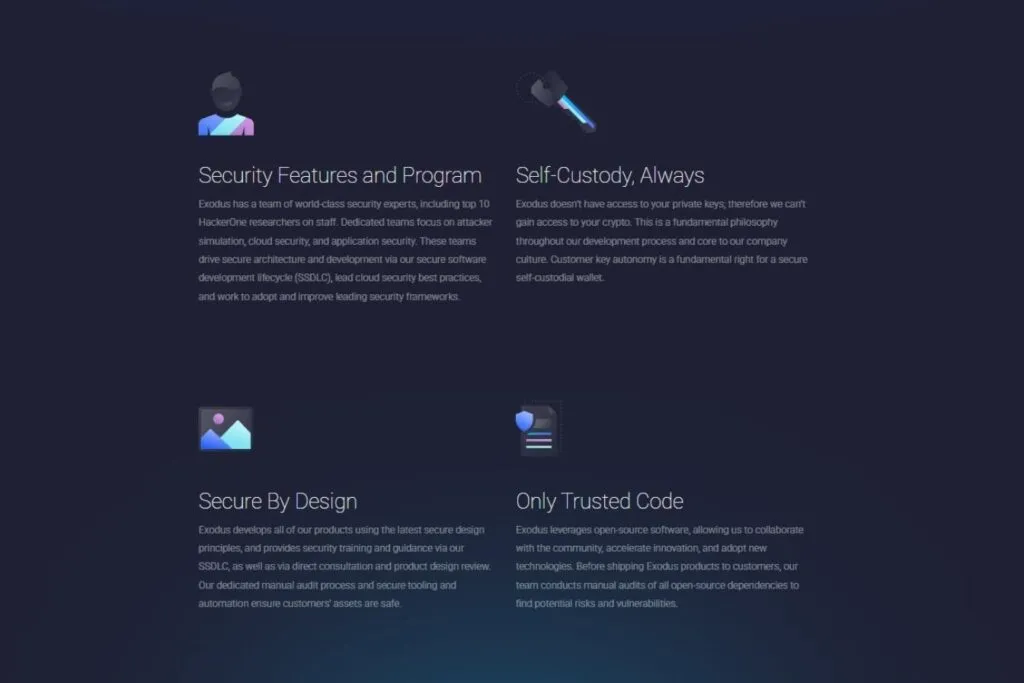
Exodus is safe in the sense that no company holds your crypto: your private keys are generated on your device and Exodus describes the wallet as self-custodial. It is a hot wallet by default, meaning your keys sit on an internet-connected device, which carries more risk than a hardware wallet for large holdings. The responsible way to use Exodus is to pair it with a Trezor or Ledger for significant amounts and to treat the app as an everyday management interface rather than a long-term vault.
Years of testing crypto platforms has taught me that the most important safety question is not whether a company can be hacked but who controls the keys. At a custodial exchange like Coinbase or NDAX, the exchange controls your private keys. If it is hacked, frozen by a regulator or goes insolvent, your assets are at risk until withdrawn. Exodus flips that. Your recovery phrase is created on your device when you set up the wallet. The company could disappear tomorrow and your crypto would still be accessible with your seed phrase in any compatible wallet software. That is the fundamental safety advantage of a non-custodial wallet.
The trade-off is that this safety depends on you. If your device is compromised by malware, your keys could be stolen. If you lose your recovery phrase and your device breaks, your funds are gone permanently, and Exodus's 24/7 support cannot recover your wallet without it. That is not a criticism of Exodus. It is the nature of self-custody: you move from trusting a company to securing a piece of paper.
The security features worth knowing about:
- Keys stored locally on your device in encrypted form
- A recovery phrase generated on your device at setup
- Passkey protection, which is device-based and passwordless
- Biometric login and passcode on mobile, and password protection on desktop
- Trezor and Ledger compatibility for cold-storage key management
- Human support around the clock for security questions
The closed-source caveat: Exodus's core wallet code is not fully open source, so independent researchers cannot audit the full codebase the way they can with open-source wallets like Electrum or Sparrow. Exodus Movement, Inc. is publicly listed (EXOD) and files regular SEC reports, which gives a degree of financial accountability unusual for wallet providers. That does not replace open-source auditability, but it is a meaningful transparency signal.
What Is Exodus, And How Does The Built-In Exchange Work?
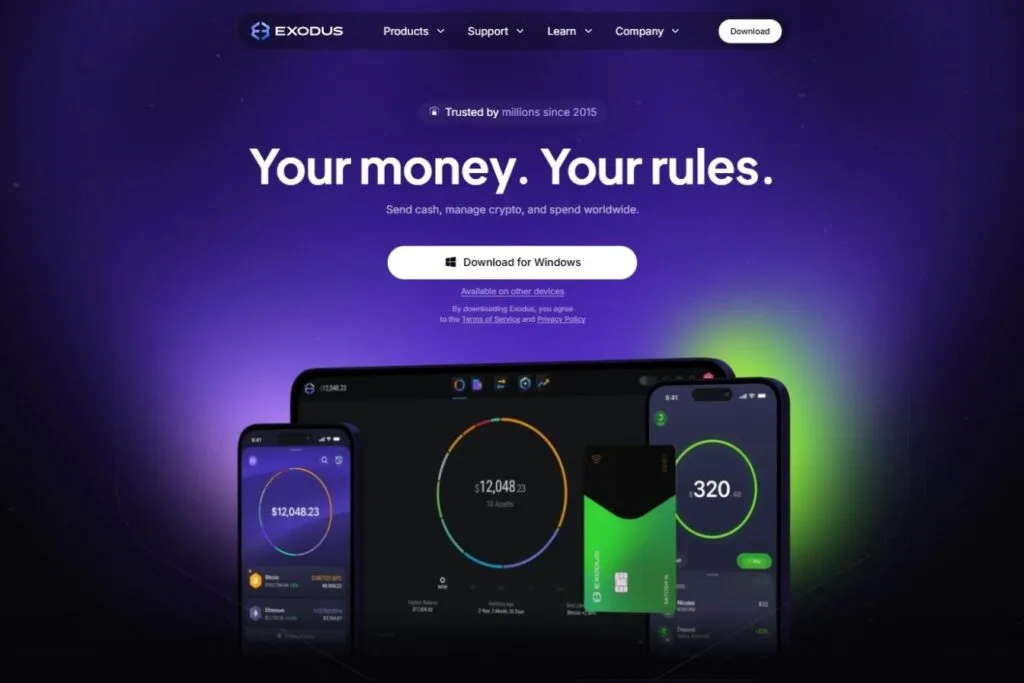
Exodus is a non-custodial wallet with a swap feature that works like an exchange. You hold your crypto in the wallet. When you want to move from one asset to another, you pick the from asset and the to asset, see the quoted rate including the spread, and confirm. The swap runs through third-party liquidity providers, with no order book, no limit orders and no KYC.
That is a different mechanism from trading on NDAX or Kraken. There is no live price discovery on Exodus. The app aggregates quotes from third-party providers, shows you the rate and executes on-chain. Exodus's support pages say a swap may include a spread and a network fee, and that Exodus receives a small percentage of the spread on swaps serviced by a third-party provider. Exodus advertises swap rates starting as low as 0.5%. The words "starting as low as" matter: on liquid pairs like BTC to ETH or ETH to USDC the cost is usually at the low end, and on thin pairs, small-cap altcoins and low-volume tokens it can be much higher. Always compare the amount you will receive against the current market price before you confirm.
How Do Canadians Fund An Exodus Wallet?
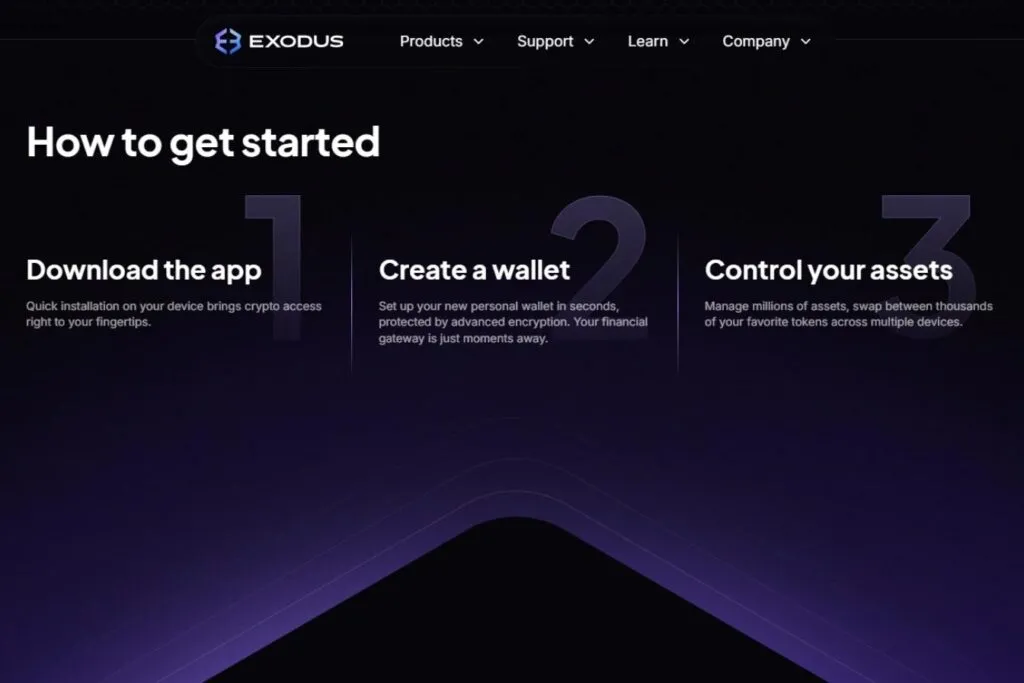
There is no Interac e-Transfer into Exodus. The standard Canadian approach is to buy crypto on a registered Canadian exchange, then transfer it to your Exodus address. Exodus also offers XO Ramp for buying with a card, Apple Pay or Google Pay, but check whether CAD and your payment method are available to you in the app before relying on it, and expect payment processors to charge more than an Interac buy.
Step 1: Buy On A Canadian Exchange
Buy Bitcoin, Ethereum, USDT or any other asset on a registered exchange like NDAX, Kraken or Coinbase via Interac e-Transfer. Then withdraw to your Exodus wallet address. Receiving is free in Exodus, and only the blockchain network fee applies. Pick the cheapest network for stablecoins, since the same USDT can cost far more to withdraw on one network than another, and always double-check the address before you send.
Step 2: Buy In-App With A Card, If You Want Convenience
XO Ramp lets you buy with a card, Apple Pay or Google Pay. It is the most convenient option for someone who wants crypto in their wallet without opening an exchange account, but it is not the cheapest. Compare the quoted amount with what the same purchase would cost on an exchange through Interac and a transfer.
Step 3: Selling And Converting Back To CAD
Exodus is not a CAD cash-out. To get CAD, send your crypto, often a stablecoin, to a Canadian exchange, sell it there and withdraw by Interac. That multi-step route is the standard workflow for Canadian self-custody users. Factor the round-trip transfer costs into your economics before you decide how often to move funds between Exodus and an exchange.
What Can Canadians Do Inside Exodus?
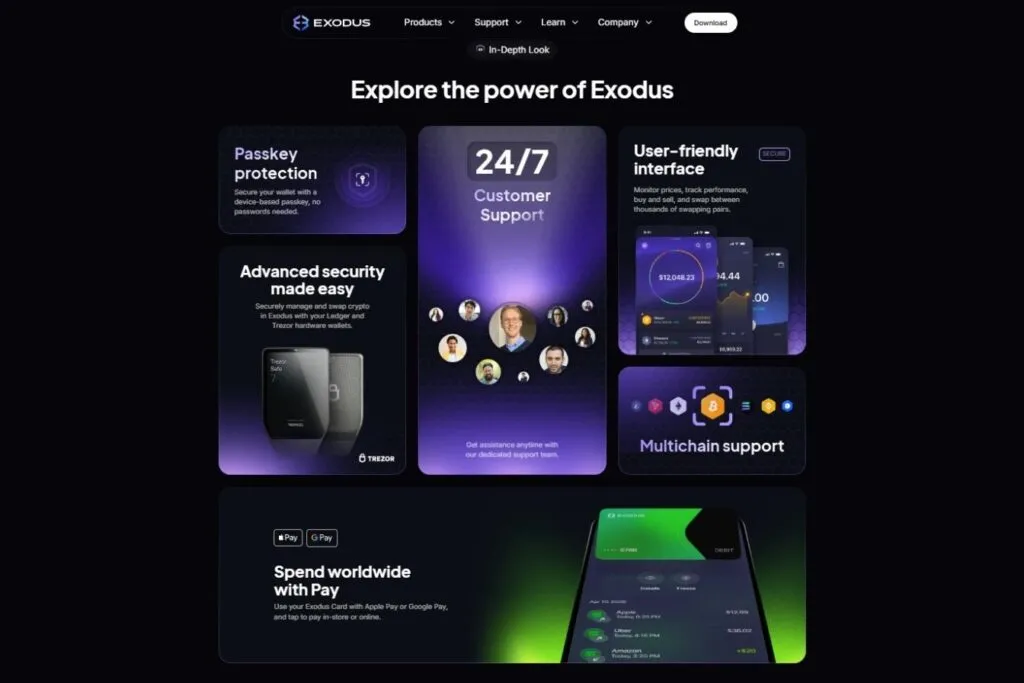
Exodus is a full-featured self-custody app: store and manage 1,000,000+ assets, swap between supported pairs without an exchange account, stake select assets, view NFTs, connect to Web3 apps, pair with Trezor or Ledger, and spend through the Exodus Card. There are no futures, no margin and no order book.
Portfolio And Interface
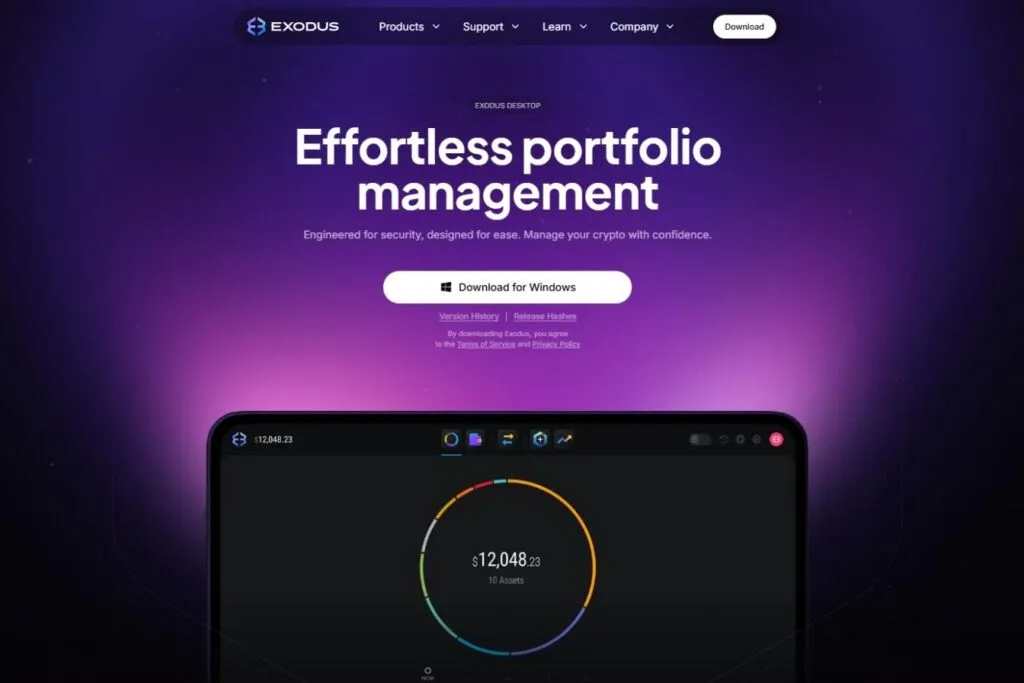
This is where Exodus has few peers. The portfolio view shows your holdings in a colour-coded chart with percentage allocation by asset. Every coin gets a logo automatically, price charts sit on each asset and the total updates live. Syncing between desktop and mobile works without an account login. The interface hides blockchain complexity on purpose: you see Network Fee, not gwei. For a beginner managing a multichain portfolio, that clarity is valuable. For an advanced user it can occasionally hide details that matter, though Exodus increasingly offers custom fee settings.
Built-In Swaps
Swap any supported asset for another without leaving the app, with no exchange account and no waiting for a deposit to confirm. You see the exact amount you will receive before you confirm. Completion time depends on the chain: fast networks settle in seconds, while Bitcoin and Ethereum swaps can take minutes. Swaps are why Exodus belongs on a Canadian crypto site: for converting one asset into another, it functions like an exchange without the custodial overhead.
Staking In The Wallet
You can stake directly inside Exodus, with no external staking platform, for select cryptocurrencies. Check the app for the current list and the net reward, since staking rates move with the network and Exodus may keep a share of rewards. Staking income is taxable in Canada, so read our crypto staking and taxes in Canada guide before you start.
NFTs And Web3
You can view and manage NFTs from supported networks in the Exodus gallery, with no third-party NFT app. Web3 access works with apps that accept standard wallet connections, and transaction approvals happen inside Exodus. Paired with a Trezor or Ledger, that becomes a hardware-secured DeFi setup.
Hardware Wallet Pairing
Pairing Exodus with a Trezor or Ledger moves your private keys from your internet-connected device to the hardware device, and transactions are approved on its physical screen. Exodus stays your portfolio and swap interface while signing moves to cold storage. That is the setup I recommend for Canadians holding significant value. See the best crypto wallets for Canadians and my Trezor Safe 5 review.
Exodus Pay And The Exodus Card
Exodus Pay and the Exodus Card are the spending side of the app, covering payments, spending and rewards. Check the app before assuming a card is available in Canada, since availability depends on region.
What Does Exodus Actually Cost For Canadians?
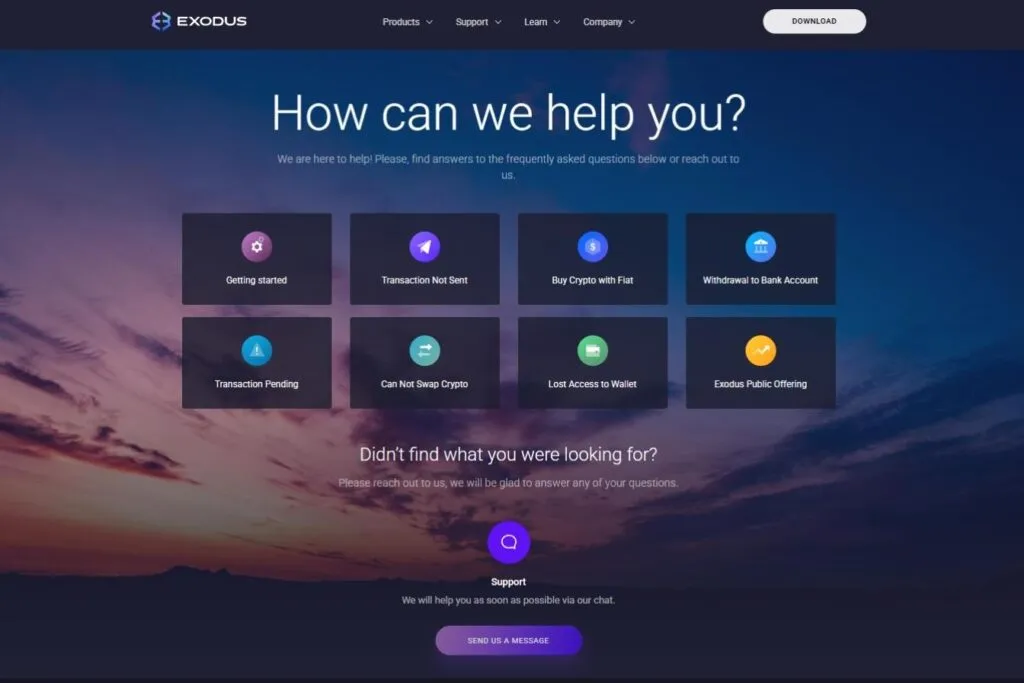
Exodus does not charge a fee to download, send or receive. Its support page says Exodus keeps no part of network transaction fees and that all of them go to the network. The cost of using the exchange side is the swap spread, which Exodus says starts as low as 0.5%, and which can be higher depending on the pair and liquidity.
| Action | Exodus Fee | Notes |
|---|---|---|
| Download and install | Free | Desktop and mobile |
| Receive crypto | Free | The sender pays the network fee |
| Send crypto | No Exodus fee | Network fee shown before you confirm, and 100% goes to the blockchain |
| Swap | Spread, starting as low as 0.5% | Varies by pair and liquidity. Check the quote every time |
| Staking | Varies by asset | Net rewards shown in the app before you stake |
| Card or Apple Pay purchase | Set by the payment provider | Compare with buying on an exchange first |
| Platform | Cost | KYC | Custody |
|---|---|---|---|
| Exodus | Spread, starting as low as 0.5% | None mentioned for wallet use | Self-custody |
| NDAX (7.8) | 0.20% flat | Yes | Custodial |
| Kraken (9.2) | Pro 0.40% maker / 0.80% taker | Yes | Custodial |
| Coinbase (9.8) | Up to 1.875% on simple buys, plus spread | Yes | Custodial |
On liquid pairs, Exodus can be competitive. On illiquid pairs the spread widens a lot. Always check the live quote against a market price site before approving a swap, and for a large trade consider a registered exchange where the fee is a flat rate.
How Does Exodus Compare With Other Options For Canadians?
Exodus is the only option here that is a multichain portfolio manager, a swap tool, a staking app, an NFT gallery and a Web3 gateway in one self-custody app. No registered Canadian exchange matches that breadth in self-custody. The trade-offs are the spread-based swap model, the missing fiat on and off ramp and the hot wallet risk for large holdings.
| Platform | Type | Coins | Interac Funding | CAD Cash-Out |
|---|---|---|---|---|
| Exodus | Self-custody wallet and swap | 1,000,000+ assets | No | No, transfer to an exchange |
| NDAX | CSA-registered exchange | 77 | Yes, free | Yes |
| Kraken | CSA-registered exchange | About 490 | Yes, free deposits | Yes |
| Coinbase | CSA-registered exchange | 200+ | Yes, free | Yes |
How Do You Set Up Exodus For The First Time?
Setup is short, and the care you take with the backup matters more than anything else.
- Download from the official site only. Go to exodus.com and install the app for your device. Copycat apps and fake sites exist, so never follow a link from an ad or a message.
- Create a new wallet. The app generates your keys on the device. You do not give an email address or any identity documents to create the wallet.
- Write down your recovery phrase. Do it on paper, in order, and store it somewhere physically secure. Do not photograph it, and do not keep it in a notes app or a cloud drive.
- Lock the wallet. Set a password on desktop, or the passcode and biometric login on mobile, and consider the passkey option.
- Send a tiny test. Move a very small amount in from your exchange first, confirm it arrives, then move the rest.
- Try a small swap. Before you swap anything meaningful, do a small one to see how the quote and fees look.
How Do You Use Exodus With A Hardware Wallet?
Exodus lists compatibility with Trezor and Ledger. The idea is simple: Exodus becomes the dashboard and the swap tool, while the hardware device holds the keys and approves each transaction on its own screen. That way, malware on your computer or phone cannot move funds without a physical confirmation on a device it cannot reach. If you are new to hardware wallets, read my Trezor Safe 5 review or the Ledger Flex review first, and check Exodus's current support notes for the exact chains each device can manage, because support differs by device and by platform.
How Is Crypto Held In Exodus Taxed In Canada?
Using self-custody does not change your tax position. The CRA treats crypto as a commodity, so every swap inside Exodus is a disposition: you swap one asset for another, and you have to report the gain or loss, either as a capital gain or as business income depending on how you trade. Staking rewards are taxable income when you receive them. Exodus is not a Canadian reporting platform and will not mail you a tax slip, so you need to track cost, date and value yourself. Keep exports of your transaction history, and consider a tax tool such as Koinly, which can read wallet addresses and help build your report.
What Are The Alternatives To Exodus In Canada?
It depends on what you want from it. If you want self-custody and a screen you can trust, a hardware wallet such as the Trezor Safe 5, the OneKey Pro or the D'CENT S is the stronger store of long-term value, and you can still pair some of them with Exodus. If you want the cheapest swaps with CAD in and out, a registered exchange like NDAX, Kraken or Coinbase wins on cost and on protection. If you only hold Bitcoin and want an open-source, air-gapped setup, look at the Coldcard Q or one of the Canadian Bitcoin-only services such as Beaver Bitcoin. Exodus sits between these: more convenient than a hardware wallet, more private than an exchange, and a hot wallet that deserves a hardware partner as your balance grows.
What Are The Biggest Complaints About Exodus?
The apps are rated well in the stores, and the complaints I see follow a few consistent patterns: swap costs higher than expected on certain pairs, network fee frustration on Ethereum, and confusion about the seed phrase.
Swap Costs Can Be Unexpectedly High
On illiquid pairs, in volatile markets or on networks with elevated gas costs, the all-in cost of a swap can be far above the rate Exodus advertises. The fix is always the same: read the exact amount you will receive on the confirmation screen before you approve. If the implied spread looks too high, compare with the market price and consider a different route for that trade.
Ethereum Gas Fees Feel Expensive
Exodus does not set or collect Ethereum network fees. They go to the network and vary with congestion, so during busy periods sending ETH or an ERC-20 token can get pricey. Users new to this sometimes blame Exodus. The app shows the network fee before you confirm. For small transactions, lower-fee networks are usually the better choice.
Seed Phrase Responsibility
Some users who lost access to their wallets describe confusion about the seed phrase. That is not a product failure, but it is worth addressing directly. When you set up Exodus you are shown a recovery phrase and told to write it down. If you skip that, or you store it digitally and it gets compromised or lost, you cannot recover your wallet, and no support ticket can fix it. Write it on paper, store it somewhere physically secure and never share it.
Partly Closed-Source Code
Security-focused users note that Exodus's core wallet code is not fully open source, so researchers cannot audit it end to end. That is a legitimate concern for advanced users. Fully open-source Bitcoin wallets like Electrum or Sparrow offer more auditability, though multichain wallets with equivalent usability and full openness are rare.
Who Should Use Exodus, And Who Should Not?
Exodus Is A Good Fit If You
- Want self-custody across many chains in one clean interface
- Value privacy: no exchange account and no company holding your assets
- Want to swap between assets occasionally without a full exchange account
- Want in-wallet staking for select assets
- Are a beginner who wants an approachable multichain interface
- Already hold crypto on a Canadian exchange and want a self-custody destination for long-term holding
- Plan to pair it with a Trezor or Ledger for cold storage
Exodus Is Not The Right Choice If You
- Need to deposit CAD through Interac. Use NDAX, Kraken or Coinbase
- Need to sell crypto for CAD. Exodus has no CAD off-ramp
- Are an active trader who needs an order book, limit orders or precise pricing
- Want futures or margin
- Plan to hold a large amount long term without a hardware wallet
- Require full open-source auditability
What Is A Sensible Everyday Routine With Exodus?
Keep the bulk of your long-term holdings off any hot wallet, use Exodus for the assets you want to see in one place, and use its swaps for the occasional conversion when an exchange account would be more hassle than it is worth. Before you swap, look at the quote and compare it with the market. Before you send, test with a small amount. Those two habits save more money than any fee comparison, so if you take one thing from this review, take that routine. Write the recovery phrase on paper, keep a second copy in a different place, and never type it into a website, a chat or a support form, because Exodus support will never ask for it. Anyone who does is a scammer, and no legitimate support team needs your phrase to help you.
Is Exodus Worth It For Canadians?
Exodus earns its spot on my site by doing something none of the registered exchanges do: it gives you a genuinely good self-custody, multichain experience with swaps, staking, NFT support and Web3 access in one app that anyone can use without a technical background.
For Canadians, the practical workflow is clear. Buy crypto on a registered exchange through Interac, using NDAX, Kraken or Coinbase. Move it to Exodus for self-custody, swaps and staking. When you want CAD again, send it back to the exchange and sell there. Exodus is the self-custody layer in the middle, not the fiat gateway.
The honest caveats: swap spreads can be high against dedicated exchanges, the closed-source core limits independent auditing, the hot wallet risk for large amounts is real and a Trezor or Ledger pairing is not optional for significant value, and losing your seed phrase means losing your crypto for good. For most Canadians the answer is both: a registered exchange for fiat and a wallet like Exodus for self-custody. Download Exodus free at exodus.com, take the exchange quiz or ask in r/OCryptoCanada.
What Changed For Exodus In October 2026?
- Exodus's site lists XO Swap, XO Ramp and Exodus Pay alongside the wallet, with swap rates starting as low as 0.5%.
- Exodus describes passkey protection, device-based and passwordless, as a wallet security option.
- Exodus lists support for 1,000,000+ assets and Trezor and Ledger hardware wallet compatibility.
Has Exodus Had Security Problems?
I found no documented breach, recall or disclosed vulnerability affecting Exodus wallets in primary sources as of October 2026. That is not a guarantee, so keep your firmware updated and buy only from the maker.
How Does Exodus Compare?
| Wallet | Price | Connection | Secure Element | |
|---|---|---|---|---|
| Exodus | free software wallet; swaps from 0.5% rate, third-party fees apply | not applicable: software; Ledger and Trezor hardware supported inside the app | none: software wallet; passkey protection; can pair with Ledger and Trezor hardware wallets | |
| Trezor Safe 7 | USD 249 | Bluetooth (open-source encrypted), USB-C to USB-C cable, Qi2 wireless charging | TROPIC01 (auditable) plus NDA-free EAL6+ Optiga secure element plus STM32U5 microcontroller: three chips from three vendors | Full comparison |
| Ledger Flex | USD 249 and CA$369 on the Canadian storefront; free shipping, usually ships within 24 hours | Bluetooth (BLE 5.2), NFC, USB-C | ST33K1M5 Secure Element, Common Criteria EAL6+ | Full comparison |
| ZenGo | free app download (software wallet); optional paid features not captured | not applicable: iOS and Android app; also a Zengo Business product | none: software MPC wallet, no seed phrase; keys split by multi-party computation | Full comparison |
Frequently Asked Questions
Is Exodus Safe For Canadians?
Exodus is self-custodial: your private keys are on your device and no company holds your crypto. It is a hot wallet by default, so for large amounts pair it with a Trezor or Ledger, and back up your recovery phrase on paper.
Can Canadians Buy Crypto With Interac On Exodus?
No. Exodus has no Interac option. Buy on a registered exchange like NDAX or Kraken with Interac and transfer the crypto to your Exodus address. Exodus also offers card, Apple Pay and Google Pay purchases through XO Ramp.
What Are Exodus's Swap Fees?
Exodus says swap rates start as low as 0.5%. Swaps may include a spread and a network fee, and spreads can be higher on thin pairs. Check the quote on the confirmation screen before you approve.
How Many Cryptocurrencies Does Exodus Support?
Exodus lists 1,000,000+ assets with multichain support.
Does Exodus Support Staking For Canadians?
Staking is available in the wallet for select cryptocurrencies. Check the app for the current list, and remember that staking rewards are taxable income in Canada.
What Happens If I Lose My Exodus Recovery Phrase?
Your funds become unrecoverable. Exodus cannot reset your wallet without the phrase, so write it down on paper at setup and store it securely.
Does Exodus Work With Hardware Wallets?
Yes. Exodus is compatible with Trezor and Ledger hardware wallets.