

Crypto.com is a legal, regulated option for Canadians. Its Canadian arm, Foris DAX CAN ULC, is on the CSA's list of authorized platforms as a restricted dealer (decision of May 8, 2025) and is registered with FINTRAC as a money services business. It offers 400-plus coins priced in CAD, zero-fee CAD deposits by Interac e-Transfer, staking, a prepaid Visa card and a separate advanced trading screen. Its weak points are fees that are hard to pin down, thin support when something goes wrong and a Trustpilot score that reflects it.
It is not one of the ten platforms in my ranking, so I give it no score. My own advice: if you use it, trade on the Advanced screen, not the simple App, and keep long-term holdings in your own wallet.
| Detail | Info |
|---|---|
| Canadian Entity | Foris DAX CAN ULC, an Alberta unlimited liability corporation (Crypto.com and Crypto.com Canada) |
| Regulation | CSA-registered Restricted dealer with the Ontario Securities Commission and the CSA. CSA decision May 8, 2025, no amended decision listed. Not on the banned list. Not a CIRO member |
| FINTRAC | Foris DAX CAN ULC (C100000094) registered until June 30, 2027. Foris DAX Inc. and Foris Inc. also registered until December 18, 2026 |
| Coins | "BTC, ETH, CRO, and 400+ crypto" available with CAD, per its Canadian site. The global Exchange venue lists 417 tradable spot assets, and the Canadian app list is narrower |
| CAD Deposits | Zero-fee CAD deposits by Interac e-Transfer and Apple Pay or Google Pay, per its Canadian site. Card and crypto deposits are also supported |
| Trading Fees | The App builds a spread into the price. The Advanced venue advertises maker and taker fees "as low as 0.08% and 0.18%". The Canadian fee schedule is not published in a form I could verify |
| Level Up | Subscription from $6.99 a month that gives zero trading fees up to a limit per tier. Other fees and spread may still apply |
| Visa Card | Prepaid Visa with "up to 5% in CRO rewards on eligible purchases", tied to the Level Up programme |
| Staking | On-chain staking in the app. Advertised rates "up to 17.87% per year" and they change, so read the app |
| Security | Passkeys, FIDO2 and multi-factor login, mandatory withdrawal address whitelisting, ISO 27001, ISO 27701, ISO 22301 and PCI DSS v4.0 Level 1, a HackerOne bug bounty, 24/7 support |
| Not Verified | Insurance totals, per-method deposit limits, withdrawal fees, and the sign-up bonus amount |
Ready to look? Take our exchange quiz or compare it with the best exchanges for Canadians.
Is Crypto.com Legit And Safe For Canadians In 2026?

Yes. Crypto.com is heavily regulated and certified, and it is authorized in Canada as a restricted dealer. It is supervised by the Ontario Securities Commission and other provincial regulators, holds FINTRAC registration, and describes itself as one of the most licensed and certified crypto platforms.
I have been using Crypto.com since 2021, and the platform's security infrastructure is among the strongest I have seen across 60-plus exchanges tested. The January 2022 hack, which my older article referred to, deserves context: Crypto.com identified a vulnerability in its two-factor authentication system, reimbursed the affected users and has not, to my knowledge, had a comparable incident since. Its security page now describes a Zero Trust approach, passkeys and hardware-backed keys, and it says it was the first cryptocurrency company with ISO 22301, ISO/IEC 27701, ISO/IEC 27001:2022 and PCI DSS v4.0 Level 1 service provider compliance.
The restricted dealer status is the most important regulatory fact for Canadians. It places Crypto.com in the same authorization category as Coinbase and Kraken. Do remember what that is not: Crypto.com is not a CIRO investment dealer, so there is no CIPF cover on cash balances, and crypto is not covered anywhere.
Security controls, from its own pages:
- Passkeys, FIDO2, and multi-factor logins using biometrics, authenticator codes or passwords
- Mandatory email verification when you whitelist an external withdrawal address
- ISO 27001, ISO 27701, ISO 22301 and PCI DSS v4.0 Level 1 certifications
- A public bug bounty on HackerOne
- Guidance on recognising phishing attempts, which matters because impersonation is common
- 24/7 live customer support
Older versions of this review quoted large insurance totals and a SOC 2 report. I could not find either on the official Canadian pages, so I do not repeat them.
What Is Crypto.com's Track Record And What Changed In 2025 And 2026?
Crypto.com launched in 2016 and now says it has more than 150 million users worldwide. For Canadians, the key development is the May 8, 2025 CSA decision for Foris DAX CAN ULC.
Crypto.com Canada Key Milestones
| Date | Milestone |
|---|---|
| 2016 | Founded as Monaco, later rebranded Crypto.com |
| January 2022 | Security breach through a two-factor authentication weakness. Affected users were reimbursed |
| January 31, 2023 | USDT removed for Canadian users |
| September 18, 2024 | Foris DAX CAN ULC's FINTRAC registration begins |
| May 8, 2025 | CSA decision listing Foris DAX CAN ULC as a crypto asset trading platform |
| 2026 | Crypto.com's Canadian site promotes the Level Up subscription and an onchain wallet alongside the App and Advanced screens |
Why Does Crypto.com Ask Canadians So Many Questions?
New Canadian clients answer an investor questionnaire and, depending on the answers, may start with limits. That is a regulatory requirement for a restricted dealer, and it surprises people who remember the app as a quick sign-up. Treat the questions as part of the product: answer honestly, because inconsistent answers are a common trigger for later account reviews. If you use the app for business or for large amounts, expect more questions about the source of funds, and have documents ready before you need to withdraw.
The same compliance machinery is the reason Crypto.com's record is clean in the places that matter, and also the reason complaints about frozen accounts pile up. It is one system seen from two sides, and it is worth knowing which side you are likely to meet.
What Can Canadians Not Do On Crypto.com?
Some products are off the table for Canadians under CSA rules. USDT is not available, and leveraged derivatives are not available to Canadian retail clients on registered platforms.
| Feature | Available In Canada? | Notes |
|---|---|---|
| Spot trading, 400+ coins | Yes | App and Advanced screen, priced in CAD |
| Interac e-Transfer deposits | Yes | Zero-fee, per the Canadian site |
| Staking | Yes | On-chain staking in the app. Check which assets your province allows |
| Prepaid Visa card | Yes | Rewards in CRO, tied to Level Up |
| Futures and margin | No | Not available to Canadian retail clients on registered platforms |
| USDT (Tether) | No | Removed for Canadians on January 31, 2023. USDC is the permitted stablecoin |
The CSA's stablecoin rule is why USDT is off the list: registered platforms can only offer stablecoins whose issuers meet reserve, custody and disclosure terms, and Circle's USDC is the one that qualifies.
Crypto.com App Vs Advanced: Which Should Canadians Use?
Crypto.com gives you two screens in one account. The App is the simple buy-and-sell screen with the spread built into the price. The Advanced screen is a proper order book. The Canadian site advertises maker and taker fees on the Advanced venue "as low as 0.08% and 0.18%", and says the App has "near-zero trading fees" once you join Level Up.
This two-interface structure is the most important thing to understand about Crypto.com's fee model, and my old article did not explain it clearly enough.
The App is where most Canadians start. It shows a simple Buy and Sell screen, shows a price and completes the trade in two taps. The spread, Crypto.com's margin, is inside that price, and there is no separate fee line. That is fine for a one-time purchase and expensive for regular trading.
The Advanced screen offers a live order book, TradingView charting, stop-loss, OCO and iceberg orders, and DCA, grid and TWAP bots, plus API access. Fees are shown as a maker and taker rate. I could not verify the exact Canadian schedule in October 2026, so look at the fee tier in your own account before you size a trade. The principle holds either way: an order-book fee is far lower than a retail spread.
You do not need a separate account for the Advanced screen. Log in to the same account, switch screens, and move money between them instantly.
How Do You Sign Up And Verify On Crypto.com Canada?
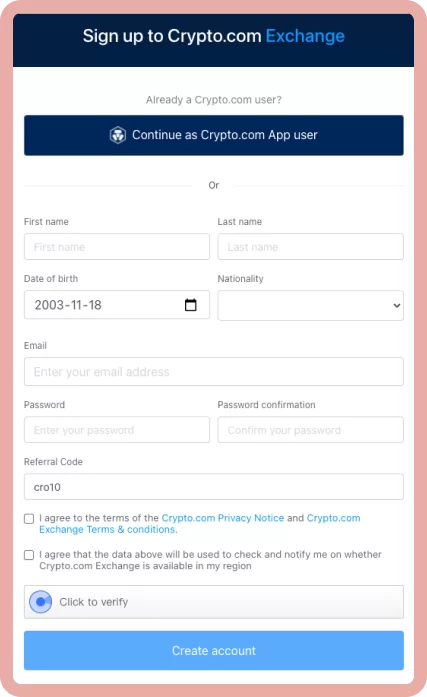
Sign-up takes an email, phone number, government-issued photo ID and a selfie. Verification is mostly automated and often finishes within minutes, although manual review can take a few days. You also set up two-factor authentication during onboarding.
What you need:
- Email address and password
- Phone number for verification
- Government-issued photo ID (driver's licence or passport)
- A selfie for liveness verification
- Age 18 or older and Canadian residency
As a restricted dealer, Crypto.com asks Canadian clients an investor questionnaire covering experience, risk tolerance and intended use. That is a regulatory requirement, and depending on the answers, initial trading limits may apply.
The process is smoother than at some Canadian-native exchanges. Unlike platforms such as NDAX that ask for employment information and source of funds at sign-up, Crypto.com's retail onboarding is more streamlined.
How Do Canadians Add Funds To Crypto.com?

The best method for Canadians is Interac e-Transfer, which Crypto.com's Canadian site lists as a zero-fee instant deposit. Apple Pay and Google Pay are also listed. Cards and crypto deposits work too, and I could not verify per-method limits.
Interac E-Transfer (Recommended)
Go to the fiat wallet in the app, choose Add Cash, pick Interac e-Transfer and follow the steps. In my personal testing, deposits have arrived within 30 to 60 minutes, which is slower than the "instant" on the marketing page. Crypto.com runs Interac through a third-party payment processor, which can occasionally mean longer waits than at exchanges with direct banking integrations.
Bank Transfer
Linking a Canadian bank account suits larger deposits where speed does not matter. Check the in-app screen for the current method and timing.
Credit And Debit Card
Available for instant purchases with a transaction fee that varies by card and issuer. It is not cost-efficient for larger purchases. Use Interac whenever you can.
Crypto Deposit
Send any supported coin to your Crypto.com wallet. Use a supported network for each asset, because sending to the wrong network can mean funds that need support intervention to recover.
Moving Between The App And The Advanced Screen
Switching is a few taps. In the app you move money from your fiat or crypto wallet into the trading side, place an order on the order book and move the result back. Do a small transfer first so you see how long it takes. The common beginner mistake is to leave coins on the wrong screen and then wonder why a withdrawal option is missing. If an asset does not show up where you expect, check the other wallet before you contact support.
What Does Crypto.com Actually Cost?

Two different fee structures exist depending on the screen. The App embeds a spread in the price with no visible commission line. The Advanced venue uses a maker and taker model. Crypto withdrawals carry a fixed fee that varies by asset and network, so always check the in-app display before you confirm.
I have removed the dollar tables from my older review. They quoted a 1.5% to 3% App spread and a 0.075% base Exchange fee that I could not verify on Crypto.com's Canadian pages, and the fee schedule for the Canadian app is not published in a form I can cite. What I can say with confidence:
- The App price includes a spread. The only way to know its size is to compare the buy price with another quote before you confirm.
- Level Up costs from $6.99 a month and removes trading fees up to a limit per tier. Spread and other fees may still apply, according to the footnote on the page.
- The Advanced venue advertises maker and taker fees as low as 0.08% and 0.18% for the best tier.
- Withdrawal fees are charged per asset and per network, and Ethereum-network withdrawals have been the expensive ones in my experience.
The practical rule is the same as at Coinbase, which also has a simple screen and an advanced one: use the order book for anything you will do more than once.
How Does Crypto.com Staking Work For Canadians?
Staking on Crypto.com is on-chain staking: you lock a coin so that it helps secure its blockchain, and you earn rewards in return. The staking page advertises rates up to 17.87% a year and states plainly that APR may vary and that you should check the app for the latest rates. In practice, the biggest headline figures belong to smaller or newer assets, and mainstream coins earn far less. Rewards are paid out on a schedule that the app shows per coin.
Three cautions apply. Locked coins may take time to unstake, so you cannot always sell into a fast drop. Your province may limit which staking products you can use, so check what the app offers you. And rewards are taxable income in Canada when you receive them, so keep a record of dates and amounts. Read my guide on crypto staking and taxes in Canada before you start.
How Does Crypto.com Make Money?
Crypto.com earns revenue through the spread in App transactions, maker and taker fees on the Advanced venue, withdrawal fees, Level Up subscriptions, card interchange, its CRO token ecosystem and institutional services such as OTC and custody.
The App against Advanced divide is not just a convenience question. It is a business model. A casual user who buys through the App and never explores the order book pays much more per trade than an active order-book user, and Crypto.com earns the difference. This is not unique to Crypto.com. But the moment you start making regular purchases, switch screens. The learning curve is about 15 minutes.
What Features Does Crypto.com Offer Canadians In 2026?

Crypto.com's Canadian site lists 400-plus coins, on-chain staking, an Earn product, baskets of themed coins, a prepaid Visa card, the Level Up subscription, an Advanced screen with trading bots, an onchain self-custody wallet, OTC and custody for businesses. Futures, margin and USDT are restricted for Canadians.
400+ Coins
The Canadian site says "BTC, ETH, CRO, and 400+ crypto" are available for trading in CAD. That puts it alongside Kraken for breadth, with the Visa card and staking ecosystem on top. Some coins that exist globally are restricted for specific provinces, so verify in the app for your province.
On-Chain Staking
The app offers on-chain staking, where you earn rewards for helping secure a blockchain. The page advertises rates up to 17.87% a year and adds that APR may vary, so read the figure in the app for the coin you want. Mainstream assets yield well below the headline number. Provincial restrictions may apply to some staking products. See our guide on crypto staking and taxes in Canada before you stake.
Visa Prepaid Card And Level Up
The Crypto.com prepaid Visa advertises up to 5% in CRO rewards on eligible purchases, and the Level Up programme is how you earn them: it combines potential CRO and BTC rewards on qualifying everyday spending with trading-fee benefits for a monthly subscription. My older review described five tiers with specific stake sizes and a 12-month lock. Crypto.com has since moved that structure around, so I am not repeating the tier table. Read the current terms on the card page before you commit.
The caveat I would keep from my earlier work still applies: rewards are paid in CRO, and CRO is a volatile token. If a card tier asks you to stake or hold CRO, the value of that stake can drop a lot while it is locked, and cashback rarely makes up for a big fall. See our guide to crypto Visa cards in Canada for comparisons.
Advanced Trading
A professional interface on web and in the mobile app, with a live order book, TradingView charting, limit, stop-loss, OCO and iceberg orders, DCA, grid and TWAP bots, and API access (REST, WebSocket and FIX 4.4). For Canadians who want low fees and advanced tools in a registered platform, it is one of the better interfaces around.
Onchain Wallet
Crypto.com also offers a separate self-custody Onchain wallet for DeFi, where you hold your own private keys. That is a different product from the main app, and nothing there is covered by any dealer protection.
Proof Of Reserves
Crypto.com publishes a Proof of Reserves page at crypto.com/proof-of-reserves, where users can verify their balance appears in the reserve snapshot. Check the page for the current attestation.
Level Up, Earn, Baskets And Supercharger
Around the core trading screens, Crypto.com sells a set of extras. Level Up is the subscription that trades a monthly fee for zero trading fees up to a limit and extra rewards. Earn is a product for storing assets and generating passive income. Baskets are themed bundles of coins that let you diversify in one purchase. Supercharger lets you deposit CRO and earn rewards. Availability and terms depend on your province and change often, so read the screen for each product before you use it, and ask yourself what the yield is paid in and who carries the risk.
Spending Crypto And NFTs
Crypto.com Pay advertises over 300,000 merchants worldwide that take crypto, and the Visa card is the other way to spend. The site's product menu also still lists an NFT product. I could not confirm what the NFT marketplace offers Canadians in October 2026, so if that matters to you, check it in the app before you plan around it. In my own use, the card and the order book matter far more than the NFT side.
How Does Crypto.com Compare To Other Exchanges Available To Canadians?
Crypto.com wins on coin breadth, ecosystem and card. It loses on fee clarity and on support when something goes wrong.
| Exchange | Score | Status | Fees | CAD Funding | Coins |
|---|---|---|---|---|---|
| Crypto.com | Not ranked | CSA-registered (restricted dealer) | Not published for Canada. Advanced venue advertises as low as 0.08% / 0.18% | Zero-fee Interac per its site | 400+ |
| Coinbase | 9.8 | CSA-registered | Up to 1.875% on simple buys, plus spread | Free Interac e-Transfer and EFT | 200+ |
| Kraken | 9.2 | CSA-registered | Kraken Pro 0.40% maker / 0.80% taker; Instant Buy 1% | Free Interac e-Transfer deposits | About 490 |
| Wealthsimple Crypto | 8.4 | CSA-registered, CIRO investment dealer | 0.5% plus spread | Free Interac e-Transfer | 170+ |
| NDAX | 7.8 | CSA-registered, CIRO investment dealer | Flat 0.20% | Free Interac e-Transfer and wire | 77 assets |
See our full best exchanges list for current rankings.
What Do People Like About Crypto.com?
The positive side is real. The app is polished and quick, the coin list is long, the CAD deposit by Interac is free, and a single login covers the simple screen, the order book, staking, the card and a self-custody wallet. App store ratings are strong, which tells you that for most people on most days, buying and selling simply works. People who like it usually name the same things: the breadth of coins, the way the app makes a complicated product feel simple, and the card.
The trouble starts only when you leave the happy path, with a flagged deposit, a first big withdrawal or a verification refresh. Plan for that day and the product is good.
What Are The Biggest Complaints About Crypto.com For Canadians?


Crypto.com's Trustpilot profile is poor, and the app store ratings are good. The two tell different stories. People whose day-to-day trading goes smoothly rate the app well. People who hit an account freeze or a withdrawal problem and needed a human quickly rate it badly. Check the live scores yourself, because they move.
Account Freezes And Withdrawal Delays
The most serious and consistent complaint pattern. Users report accounts frozen for a day or more during identity re-verification, large withdrawals or unusual activity. Crypto.com's compliance systems are thorough, which is partly why its security record is strong, but the same systems cause friction for legitimate users. During busy market periods, support queues stretch and delays compound. Escalating to a human agent can take days. This is the biggest risk to know about before you deposit a large amount.
App Spreads Are Not Prominently Disclosed
The App quotes a price and completes the trade. Many users realize how much they paid only when they compare their buy price to the market rate afterward. The solution is to use the Advanced screen for anything beyond a first one-off purchase.
Support Queues During Busy Markets
When prices swing hard, everyone logs in at once, and chat queues stretch. The Trustpilot pattern is of tickets that sit for days. The only protection is to avoid needing support on the worst day: verify early, test withdrawals when markets are calm, and keep long-term holdings off the exchange.
High Ethereum-Network Withdrawal Fees
Withdrawing USDC or other ERC-20 tokens on the Ethereum mainnet has been expensive, and on a small withdrawal the fee takes a large percentage. Cheaper networks, where supported, cost a fraction. Always check the in-app fee display before confirming.
CRO Volatility Risk
Meaningful card cashback and fee benefits have required holding or staking CRO. If CRO falls 60% during a lock period, the value you locked up shrinks accordingly. Evaluate any requirement against the current CRO price and your own conviction in the token before committing.
Scam Awareness
Crypto.com's large user base makes it a prime impersonation target. Its security page links to guidance on recognising phishing, and if the app offers an anti-phishing code on your account, set it up right after you register and check it before you click any email link. Never share your 2FA codes, passwords or private keys with anyone claiming to be Crypto.com support. See our guide on common crypto scams in Canada.
How Is Crypto.com's Customer Support For Canadians?
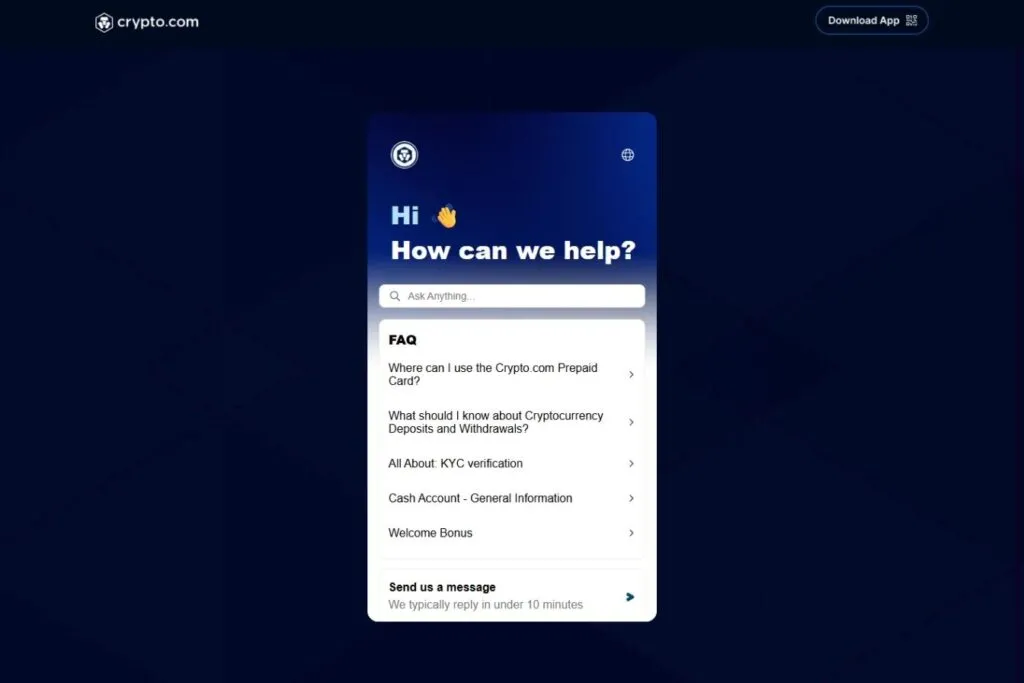
Crypto.com's security page promises 24/7 live customer support. In my own testing, live chat for basic questions responds within minutes, and the help centre at help.crypto.com covers most common questions well.
The breakdown happens at the compliance and account level. A frozen account creates a ticket that goes into a queue separate from front-line chat. That queue runs on a different timeline, and when market volume spikes and thousands of users hit issues at once, it stretches. This is the gap between the strong app store rating and the weak Trustpilot rating, and it is consistent with what I have observed over years of testing.
What Should You Do Before Depositing Real Money On Crypto.com?
A short checklist keeps most of the pain away. Verify your identity fully before you need to withdraw, because a first withdrawal is when holds often appear. Turn on a passkey or an authenticator app, and set an anti-phishing code if your account offers one. Whitelist your own withdrawal address and test with a small amount. Do your first trade on the Advanced screen, not the App. And never leave more on any exchange than you are willing to wait weeks to get back, which for me means keeping long-term holdings in my own wallet. The checklist costs you an hour and removes most of the reasons people end up on the one-star review pages.
Keep your records too. Every trade, swap and card spend is a taxable event, and Crypto.com's own statements are only a starting point. A tool like the ones I cover in my Koinly review will rebuild your history from the exchange's exports.
Who Should Use Crypto.com Canada, And Who Should Not?
Crypto.com suits Canadians who want 400-plus coins in a registered environment, who will use the Advanced screen for trading, and who genuinely want the card ecosystem. It is not the right choice for anyone who needs USDT, derivatives or the cheapest possible App trades.
Crypto.com Is A Good Fit If You:
- Want a very wide coin selection in a registered Canadian environment
- Will use the Advanced screen for regular trading instead of the App
- Want a Visa card with CRO rewards and accept the CRO price risk
- Want on-chain staking inside the same app
- Value the full ecosystem: App, Advanced screen, card, staking and an onchain wallet in one login
Crypto.com Is Not The Right Choice If You:
- Will stay on the App without switching. Use NDAX (0.20% flat) or Coinbase Advanced instead
- Need USDT. Tether is not available to Canadians on registered platforms. See how to handle USDT in Canada
- Need futures or margin trading. They are not available to Canadian retail clients on registered platforms
- Want Bitcoin-only self-custody. Look at Bull Bitcoin or Bitcoin Well
What Changed For Crypto.com In October 2026?
- : CSA decision listing Foris DAX CAN ULC (Crypto.com) as an authorized crypto asset trading platform. No amended decision has been listed since
- : expiry date of the FINTRAC registrations for Foris DAX Inc. and Foris Inc.
- : expiry date of Foris DAX CAN ULC's own FINTRAC registration
- : Crypto.com Canada's site advertises 400-plus coins in CAD, a Level Up subscription from $6.99 a month and 150 million-plus users globally
Is Crypto.com Worth It For Canadians In 2026?
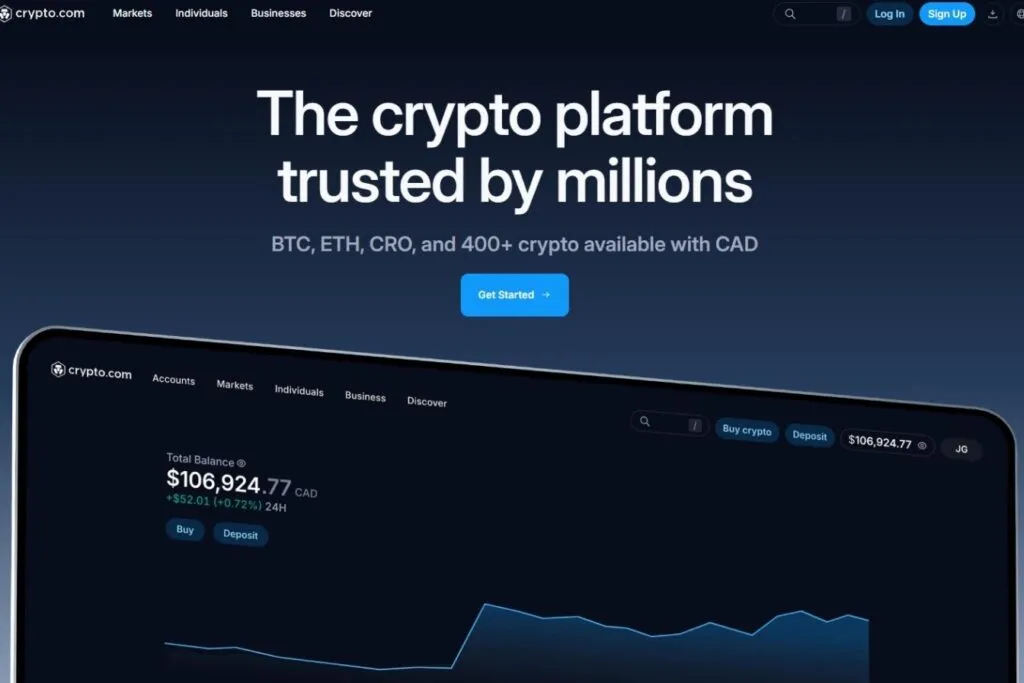
Crypto.com has grown into one of the most complete crypto platforms available to Canadians. The CSA authorization removed the regulatory doubt. The staking, the Advanced screen and the card give it a bigger feature set than most.
The legitimate criticisms have not gone away. Account-level problems are not rare. The App spread is not obvious to new users. CRO-linked benefits tie you to a volatile token. Futures and margin are off the table. Those are real limits for real people.
If you remember one thing from this review, it is that the product is good for people who set it up carefully and are patient when something goes wrong, and poor for people who need a person on the phone right now. Crypto.com has the features, the licences and the certifications. What it does not have, from what I and many reviewers have seen, is fast human help once an account is flagged.
My recommendation: use the Advanced screen, not the App, from day one. If you want the card, read the current terms, check the CRO price and decide whether any lock-up makes sense. If you mainly want low-fee spot trading without the complexity, NDAX at a flat 0.20% is simpler. If you want everything in one registered account, Crypto.com is a reasonable pick, though not a top-ten one.
If you are undecided, the quickest way to settle it is to open an account, finish verification, make one small Interac deposit and one small order-book trade, then withdraw a little to your own wallet. That single afternoon tells you more about speed, fees and support than any review can.
Take our exchange quiz to compare options, or ask questions in r/OCryptoCanada.
Is Crypto.com A Good First Exchange For A Beginner?
It can be, with one condition: you have to be willing to learn the two screens. A beginner who buys on the App and stays there will pay more per trade than on any of the platforms in my ranking, and may not notice. A beginner who spends fifteen minutes on the Advanced screen, or who buys through a simpler registered platform like Coinbase first, will do better. If you want the feature set but not the learning curve, start on Coinbase, keep your first purchase small, and come back to Crypto.com once you know what you want from the card or the staking.
Crypto.com Compared To Other Canadian Exchanges
- Coinbase Vs. Crypto.com
- NDAX Vs. Crypto.com
- Newton Vs. Crypto.com
- Shakepay Vs. Crypto.com
- Wealthsimple Crypto Vs. Crypto.com
- Crypto.com Vs. VirgoCX
- Bitcoin Well Vs. Crypto.com
Frequently Asked Questions
Is Crypto.com Legal And Safe For Canadians?
Yes. Its Canadian arm, Foris DAX CAN ULC, is on the CSA list as a restricted dealer (decision of May 8, 2025) and is registered with FINTRAC. It is not a CIRO investment dealer, so there is no CIPF cover, and crypto is not insured by any Canadian scheme.
What Are Crypto.com's Fees For Canadians?
The App builds a spread into the price. The Advanced screen advertises maker and taker fees as low as 0.08% and 0.18%. The Level Up subscription, from $6.99 a month, gives zero trading fees up to a limit. I could not verify the full Canadian schedule, so check your own fee tier.
Is The Crypto.com Visa Card Available In Canada?
Yes. The prepaid Visa advertises up to 5% in CRO rewards on eligible purchases, linked to the Level Up programme. Rewards are paid in CRO, which is volatile, so read the current terms before locking anything up.
Can Canadians Trade Futures Or Margin On Crypto.com?
No. Leveraged derivatives and margin are not available to Canadian retail clients on registered platforms.
Is USDT Available On Crypto.com For Canadians?
No. USDT was removed for Canadian users on January 31, 2023 under CSA rules. USDC is the stablecoin permitted on registered platforms.
Does Crypto.com Offer Staking In Canada?
Yes, on-chain staking is offered in the app, with advertised rates up to 17.87% a year that vary by coin and over time. Some products may be restricted by province.
Why Is Crypto.com's Trustpilot Score So Low?
Most complaints are about frozen accounts, slow withdrawals and slow human support after a compliance hold. The app store ratings are far better, which suggests routine trading goes smoothly for most people.